Hello Everyone
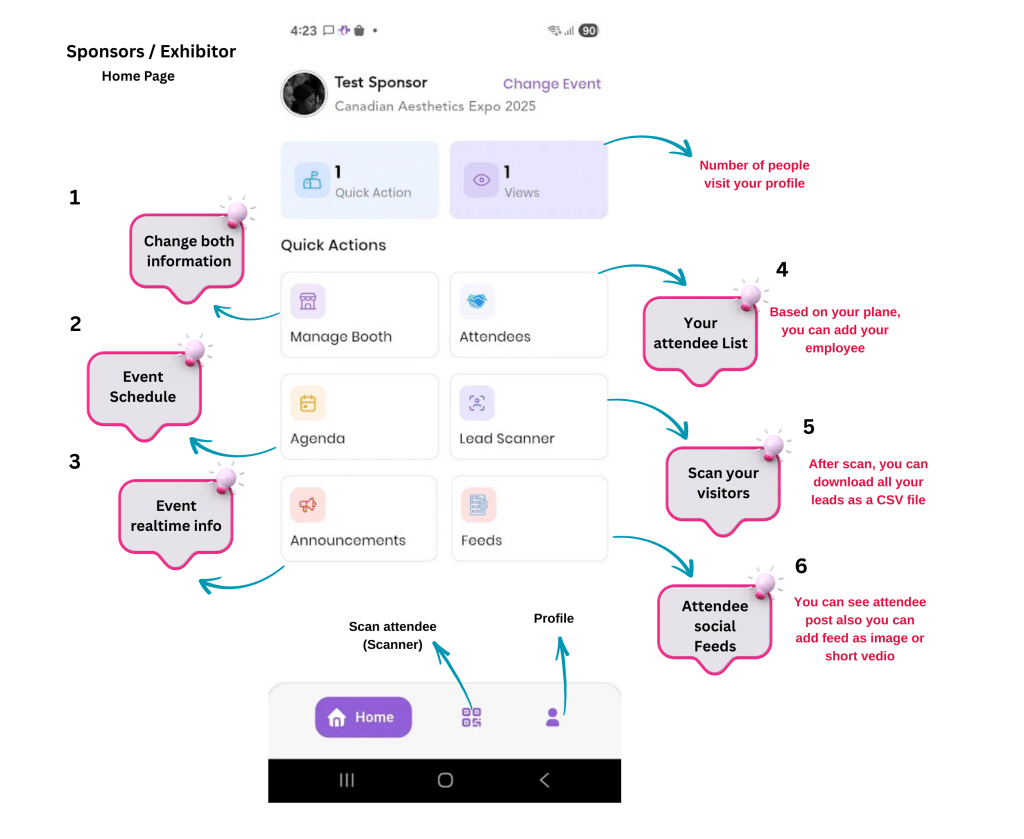
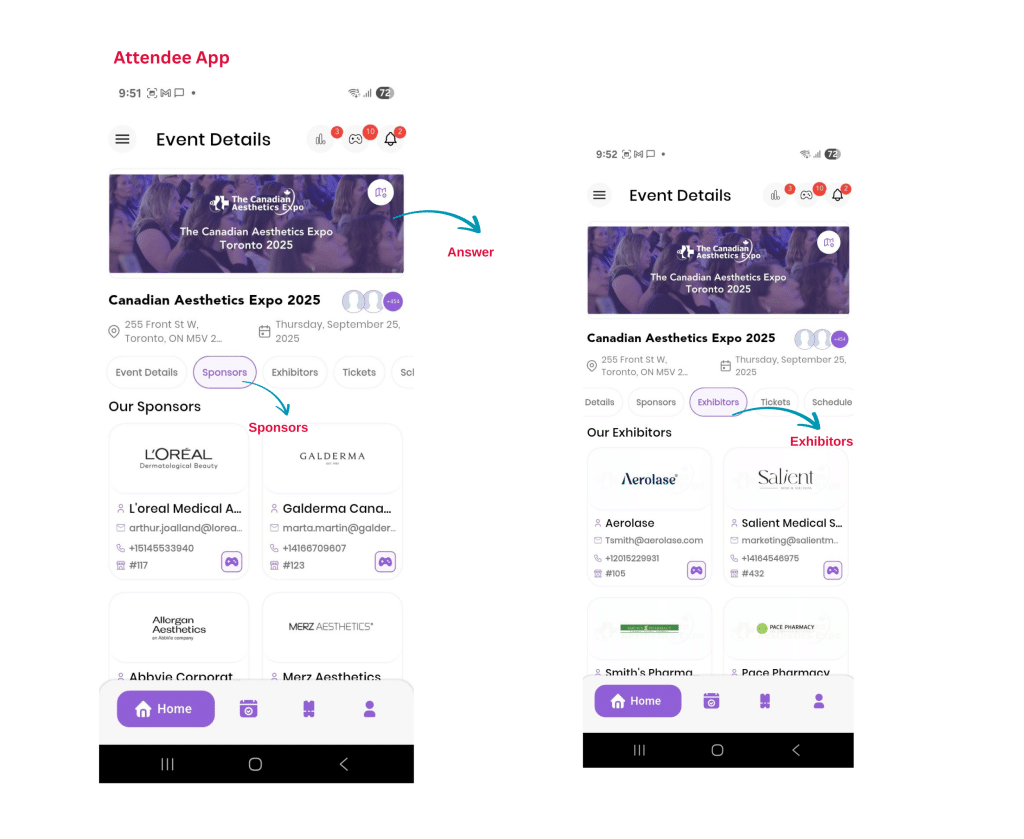
We’re excited to welcome you to CAMA Expo! To help you have the best experience, please download the event app and explore its features exclusively for our Sponsors & Exhibitors before the event starts.
How to get the App
- Download the app on iOS or Android from this link. Here
- Log in using the email address you registered your badge with.
- If you’d like your team to scan, they should login the company account by following the above process. Otherwise they can register a new account with limited access. (optional)
Please note: All staff/ attendees must use their own preprinted badge to access event entrances.
If employees log in as Exhibitors, they will be able to scan attendees.
If you prefer your employees to have only basic access, you can instead log in on multiple devices (iPhone/Android or iPad/tablet).
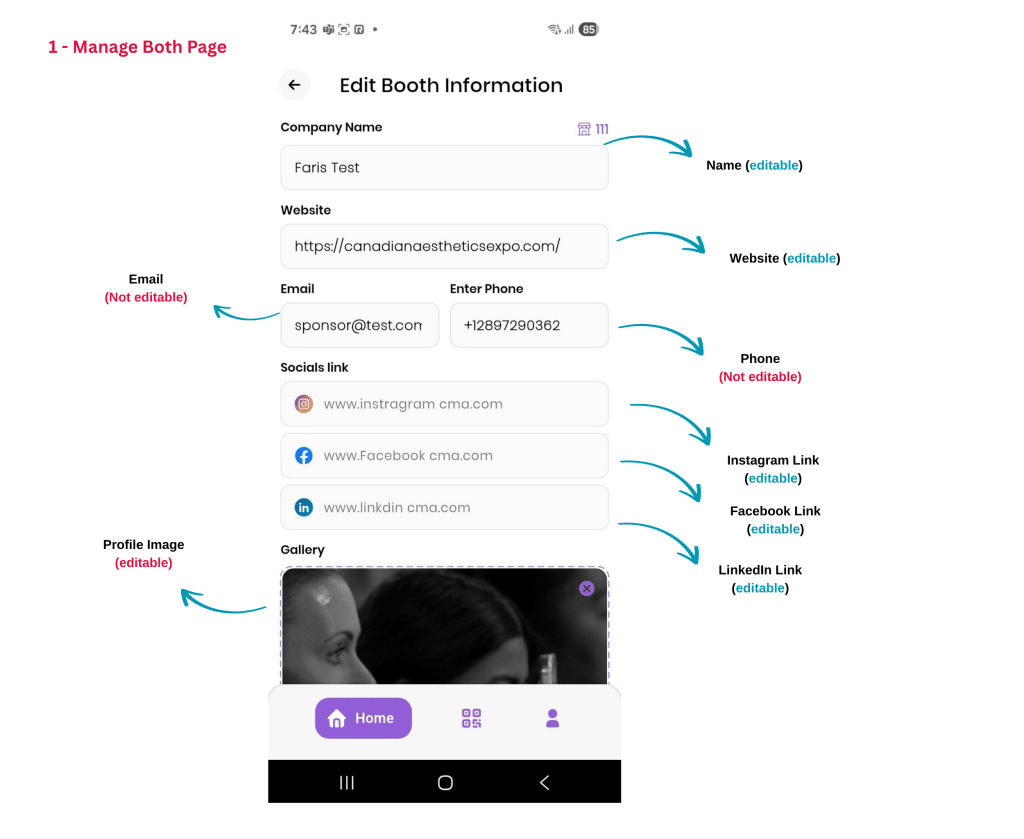
Manage Booth
- Tap “Manage Booth” in “Home” page
- Edit your published booth information if needed.
Lead Scanner – How It Works
- Open the event app.
- Tap the icon in the middle of the bottom navigation bar– the camera will be on.
- Simply scan the QR code on the attendee’s badge or in their App.
- You can’t scan the same attendee twice, so no duplicates to worry about!
- To view your leads, go to “Lead Scanner” in the “Home” page — you’ll see the full list of scanned contacts.
- To download your leads (including names and email addresses), just tap the download icon in the top-right corner of the screen.
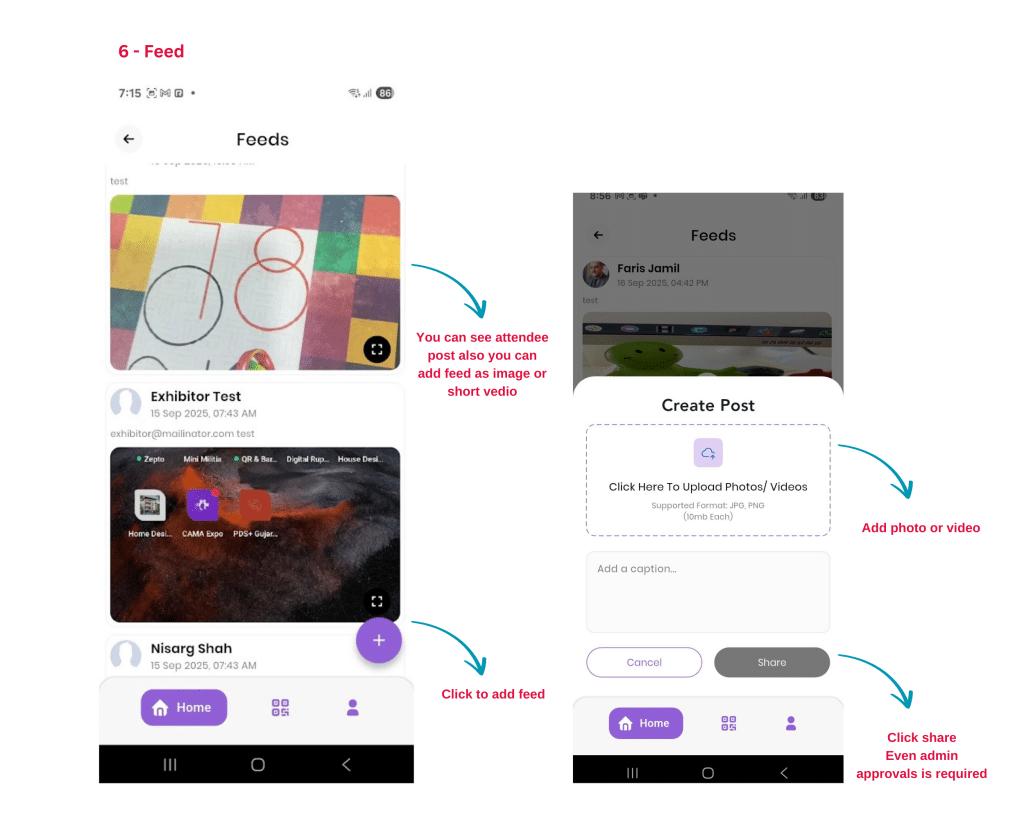
Feeds – How It Works
- Open the event app.
- Tap on the “Feed” in the menu.
- Tap the “+” sign at the right-bottom to create posts.
- Write your message — you can include text, images, or links.
- Tap “Share” to post it.
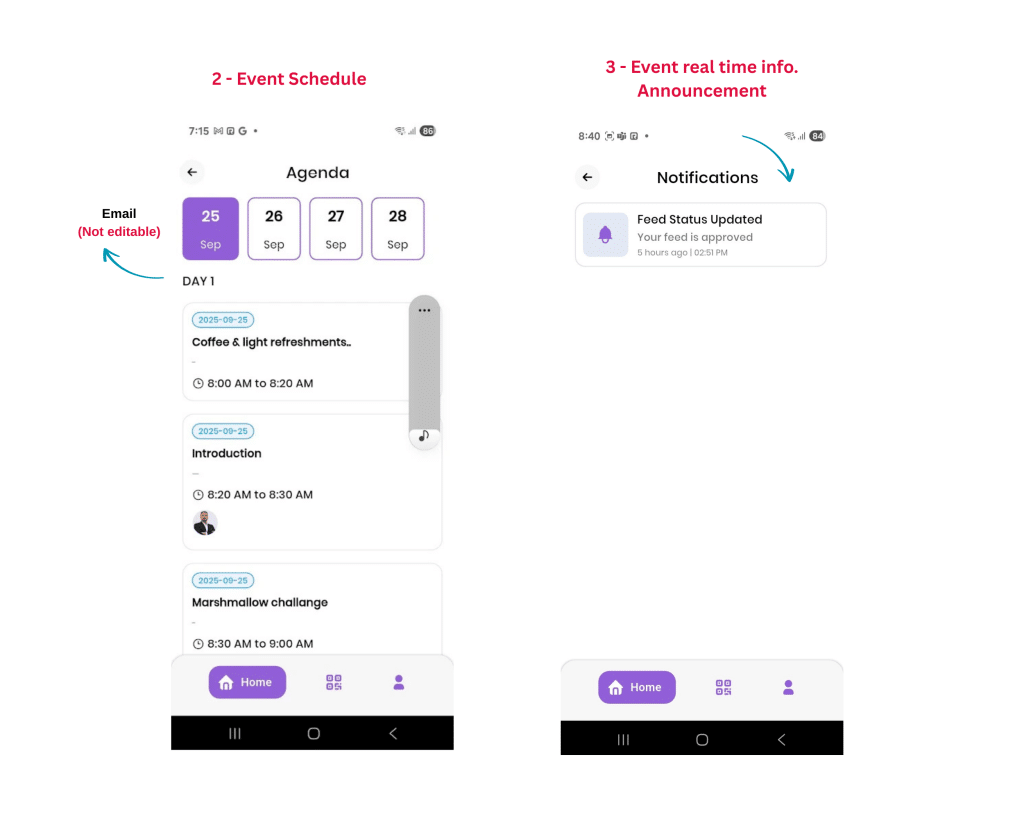
Use this feature to make announcements, highlight booth activities, or share media throughout the event.
For Attendees
We’re excited to welcome you to CAMA Expo! To help you have the best experience, please download the event app and explore its features before the event starts.
How to get the App
- Go to the App Store or Google Play.
- Search for “CAMA Expo” or simply download it HERE
- Log in using the email address you registered with.
For your first login, click on “Forgot Password” to reset and create a new password.
App Navigation – Quick Guide
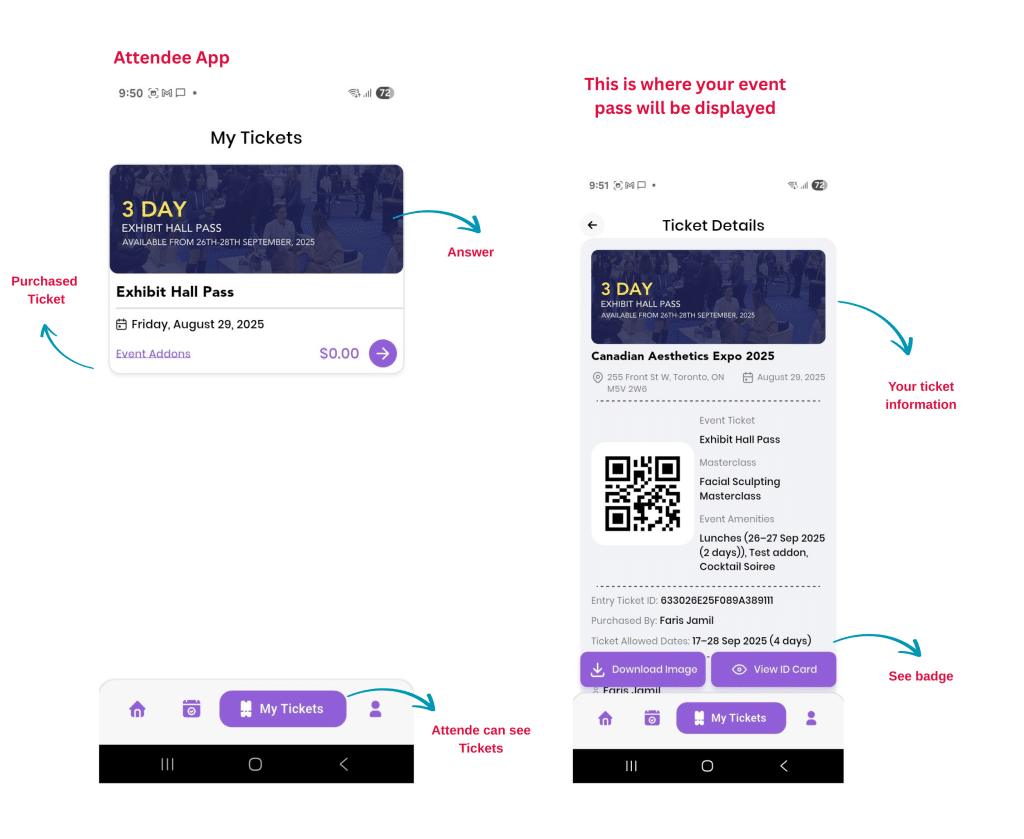
My Tickets:
- This is where your event pass will be displayed.
- No need to print anything — just show your QR code in the app to access the event rooms.
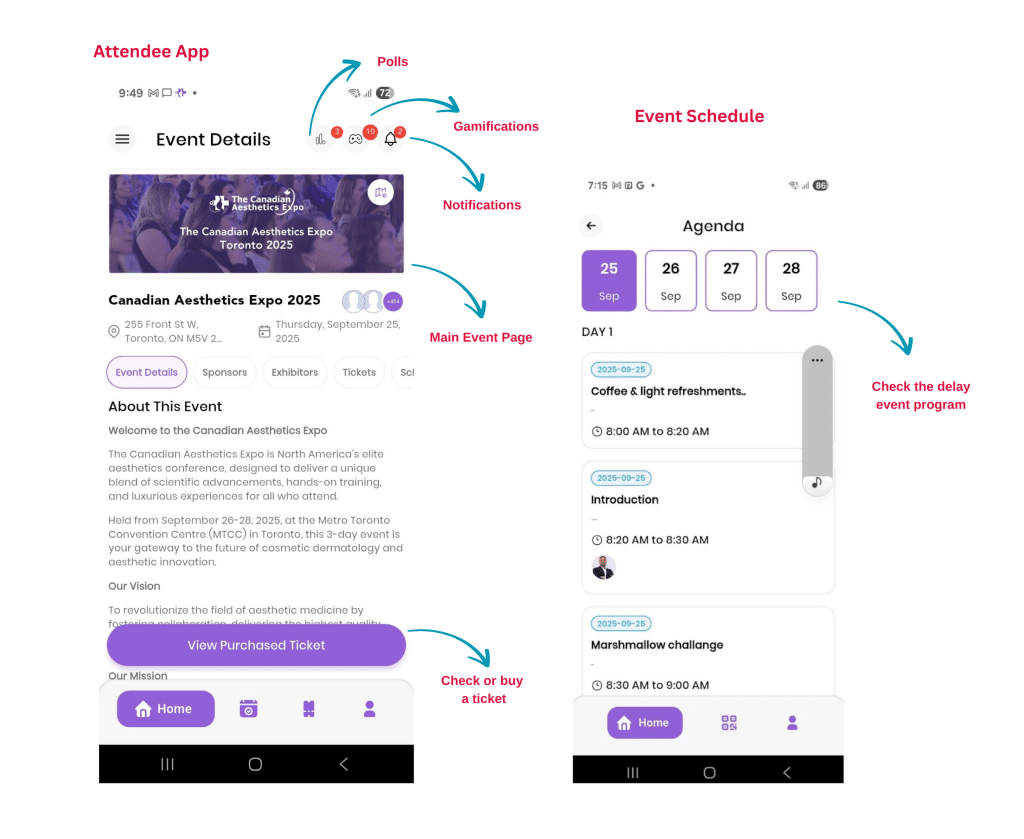
Event Details & Schedule:
- Learn about the event and view the full schedule so you don’t miss a thing.